

How to prevent saving a PDF file
Protect IP

Secure PDF documents without useless passwords:
- Stop unauthorized access
- Stop sharing and distribution
- Strong US Gov strength encryption, DRM and licensing controls
Restrict Use

Set Expiry

Revoke Access

Watermark

Log Use

Comply Law

Benefits

 Free Trial & Demo
Trusted by:

How to prevent the saving of a PDF file in Safeguard PDF Writer
How to prevent a PDF from being saved
Select your PDF files, then in Safeguard Writer, create your PDF saving restrictions:
- In the Printing & Viewing Tab: Disable PDF print by unchecking ‘Allow printing’. This will prevent users from making printed copies that they can scan in and save.
- In the Environment Controls Tab: Select ‘Disallow screen capture’ to prevent users from taking screenshots with screengrabbing apps.
Default protection for PDF saving restrictions
- Prevents saving to unprotected formats and save-as
- Stops copying and copy paste
- Disables PDF editing – only annotations are allowed
- Locks PDF files to specific devices so they cannot be copied and shared
- If you enable printing then printing to PDF format is prevented

 | How to prevent someone from saving and copying a document |
 Disable save & save as option in PDF documents & files
 Disable save & save as option in PDF documents & files
In order to stop the sharing of protected PDF documents you need to prevent PDF saving in unprotected formats.
Disabling ‘save’ and ‘save as’ options in a PDF viewer application is just one of many methods you can use to prevent a PDF from being saved, copied, and shared. Stopping PDF printing, locking PDFs to devices and locations, and watermarking documents are also essential in controlling document use.
Most applications allow you to open a document and save a copy of it to another location on disk. This is no different from copying a file directly in Windows File Explorer or a similar file browser application.
When a document is opened by an application (be that Word, Acrobat, or a browser) a temporary file is created and saved to disk. Any changes made are then applied to the temporary file which may either be saved as a new document or overwrite the existing document.
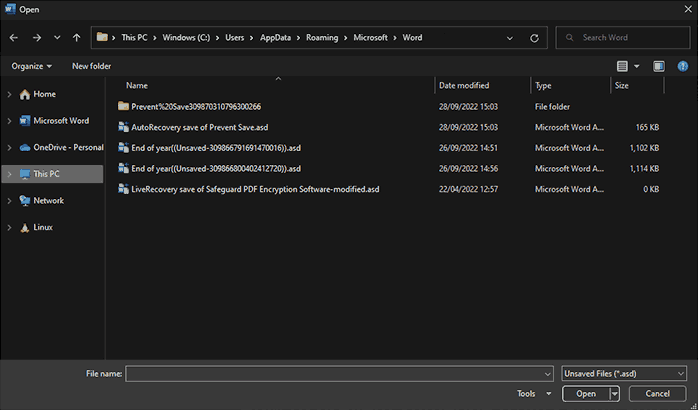
Temporary browser cache files
Even where editing is not possible (e.g. viewing a web page in a browser), content is cached to temporary files on the users’ local device to speed up viewing, so using technologies like JavaScript to prevent saving by the browser is often a waste of time.
So to prevent PDF saving from taking place, you need to build a special application that does not have these capabilities, rather than trying to rely on third-party add-ons to remove existing functionality.
Some techniques, such as plug-ins, attempt to disable the save and print option in PDF file viewers by altering code in the application. This is not a good approach because anything being disabled by one plug-in may be enabled by another. Additionally, because all the functionality is still there, a hacker is not prevented from connecting to it.
For management control systems that rely on access control mechanisms (non- DRM protected files), you need to prevent PDF saving so that files cannot be moved to different locations, such as memory sticks or servers, or network drives, where the access controls may be very different.
The simplest way to disable saving is to not have the code to do that present at all. The same goes for saving PDF files, which means not using one of the standard PDF viewers. Locklizard Safeguard viewers prevent the saving of PDF files using this approach since it is impossible to use code that is not there.
Will disabling the Save and Save As option in PDF viewers give you enough control?
 Will disabling the Save and Save As option in PDF viewers give you enough control?
You need to prevent access to the Save and Save As commands if you don’t want uncontrolled copies of documents being distributed. They represent the simplest way to prevent a document from being copied that has been opened in an application and should be a high priority.
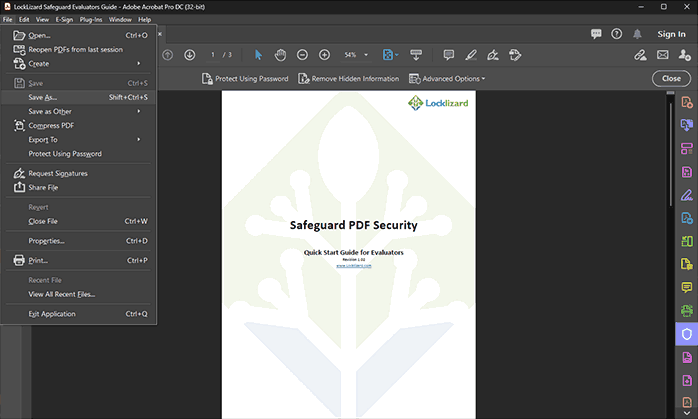
A password ‘protected’ PDF file being saved in Adobe Acrobat
However, it is important to note that when you prevent a PDF from being saved you are not stopping people from making copies of the original file(s) by using the copy command in Windows File Explorer. Documents also need to be protected (using encryption), have user licensing (locking documents to devices and locations) and DRM controls (stopping copying/pasting, printing, watermarking, etc.). Only then can you prevent someone from copying a document and sharing it with unauthorized users. If documents are not adequately protected from copying and sharing, then preventing just PDF saving is not going to achieve much.
By using adequate document protection, you can prevent Save and prevent Save As so that a copy cannot be made without the encryption, licensing and DRM controls being embedded in the document. Otherwise, it might be changed to a format that may not apply this protection (i.e. saving the document as a text file, picture file or a different unprotected document format). There are other ways of copying the contents of a document, but if you can prevent the PDF from being saved then you will have stopped the simplest and most effective way of making copies of documents.
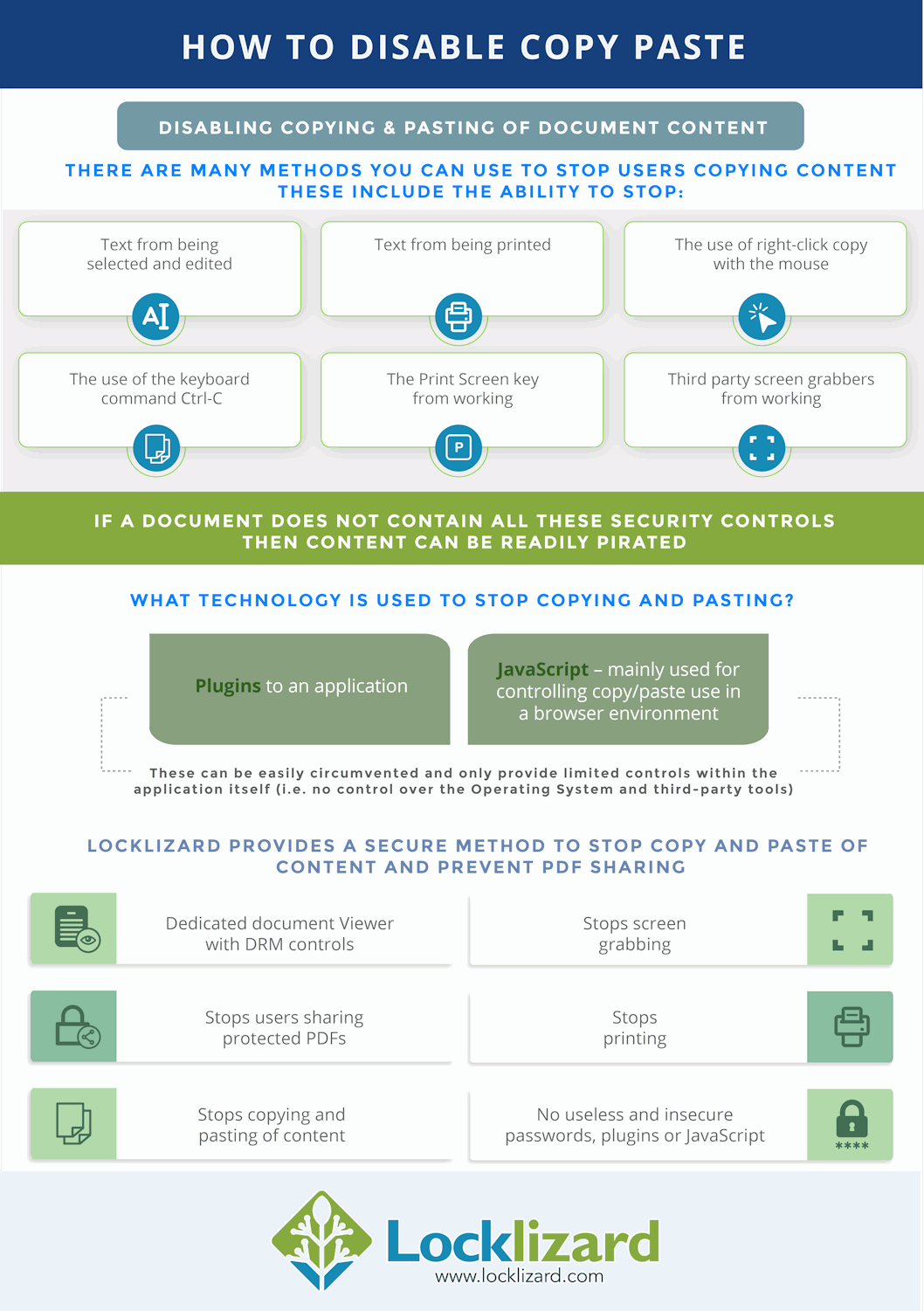
In short, you do need to disable the save and print option in PDF viewers to stop unauthorized sharing. However, you also need to prevent copy-paste and screen grabbing, provide strong encryption, and allow documents to be restricted to devices and locations. All of these aspects must work flawlessly for document security to be maintained.
Disable PDF save and print in the browser
 Disable PDF save and print in the browser
As already mentioned, browsers, by their design, cache contents to disk. JavaScript is used to stop users from downloading content, but the cached files are already available to users on their local disk – so why bother?
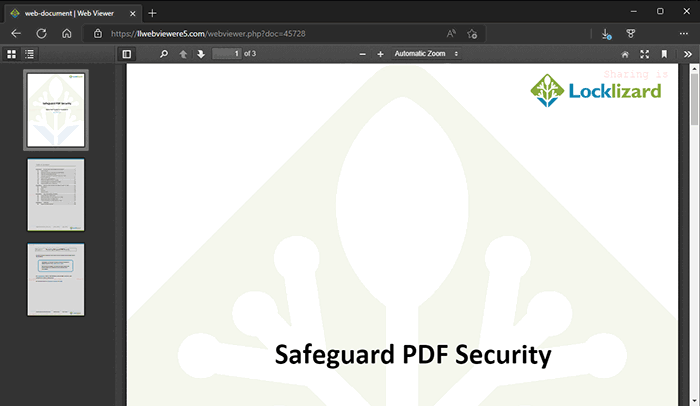
A secure PDF in Locklizard web viewer
If you want to disable PDF saving and printing in a browser environment, then you need to make sure that content is not cached to disk but served only from memory. You can only do this if you run an application in the browser. Safeguard Web Viewer uses this method to prevent Save and Save As of protected PDF files to unprotected formats.
Preventing document printing to unprotected formats
 Preventing document printing to unprotected formats
Another pitfall that allows documents to be copied is letting users print them. Printed documents can be scanned in and saved back to PDF (with a bit of OCR software you can convert to text rather than images). It is important to also address the following if printing is allowed:
- stopping printing to file drivers (PDF, XPS, etc.). Users, therefore, have to make the extra step of scanning printed documents if they want to make an electronic copy.
- applying dynamic watermarks to identify users. Users are less likely to share documents if their name is plastered all over it.
- limiting the number of high quality print copies allowed or allowing only degraded printing.
- tracking use so you can see when and where documents were printed.
Safeguard PDF Security uses all of the above methods if printing is allowed, and enables you to stop users from printing documents altogether.

 | Prevent Save & Disable Save as with Locklizard DRM software |
US Gov Strength PDF Security – Secure PDF files without passwords
Download DRM software that uses digital rights management (DRM) controls to prevent Save and disable Save As of your PDF documents. Prevent printing, copying, and sharing, of your PDF files.
- Locklizard DRM software ensures the security and use of your information by preventing the saving of content to an unprotected form and enables you to control what users can do with your content and how long they can use it for.
- Our DRM PDF Security products enable you to share documents securely without insecure passwords or plug-ins, and enforces access, location, expiry, and usage controls. Revoke PDFs at any time regardless of where they are.
- Our DRM technology ensures your secure PDF files remain safe no matter where your documents reside.
See our customer testimonials or read our case studies to see why thousands of organizations use Locklizard PDF security to securely sell and share documents.
 FAQs
FAQs
 FAQs
FAQsHow can I prevent a PDF from being saved/how do I stop someone from saving a PDF?
To prevent a PDF from being saved, you need to employ a combination of strong encryption, a licensing system, DRM controls, and a secure viewer application that does not have the function to save documents. You must also make best efforts to prevent copying via screenshotting or printing, by blocking first and third-party screen grabbers, limiting printing, and adding dynamic, identifying watermarks.
How do I disable the save as option in Adobe Acrobat DC?
There’s no good way to disable the save as option in Acrobat. Technically, you can apply permissions to prevent editing, but this only greys out the save option, not save as. Also, the permissions can be easily removed by free online tools or other simple methods.
How do you stop people from printing your PDF files?
By avoiding solutions like Adobe Acrobat and utilizing a fully-fledged PDF DRM solution instead. Locklizard Safeguard allows you to disable printing of the document in the viewer application in a way that cannot be bypassed. It also grants publishers the option to restrict the number of prints, only allow printing in black and white, and more.
How do I download a PDF even when the website doesn’t allow it?
Usually, this can be bypassed by either modifying the JavaScript in your browser, printing the file to a PDF, or recovering the information from your browser’s cache. If this does not work, you can always screenshot the page and run it through an image OCR to PDF tool so that it is editable again.
Does JavaScript prevent save or save as?
No, JavaScript can be easily bypassed by users simply disabling JavaScript in their PDF Reader or Viewer.
Is JavaScript a security risk?
Yes. Allowing JavaScript in a document can open the door for attackers to introduce malware to a user’s system via calls to a server hosting malicious code and other methods. Locklizard provides an option to remove JavaScript from PDF files automatically on publication.
Can you disable PDF save and print in the browser?
You can do, using JavaScript, but be aware that users may be able to easily bypass the controls depending on how you implement it.
Is it possible to make a PDF non-downloadable?
Technically, yes. You handcraft an application to receive information from a server one line at a time when printing or displaying text. This will minimize caching, which will make it quite difficult to download a document when the printing and saving of PDF files is also disabled.
However, displaying a document without caching can cause serious performance problems, especially when you run into images or more complex font rendering. In all likelihood, users will do whatever they can to avoid using your application, as it will be frustrating.
Another option is to convert the PDF to images and display those to users instead. The downside with this approach is that image rendering is slow, especially on mobile devices. Also hyperlinks will no longer work.
How can I sell a PDF and prevent saving?
By using Locklizard Safeguard to protect it. Locklizard enables you to sell PDF files securely so they cannot be shared or modified. It will prevent PDFs from being saved in unprotected formats, prevent editing, prevent a PDF from being printed, and prevent copying and sharing. You can restrict the locations users can access your protected PDFs from and lock use to devices.
Locklizard does not use passwords, plugins or JavaScript, so your PDF files remain permanently protected regardless of their location.
Customer Testimonials















