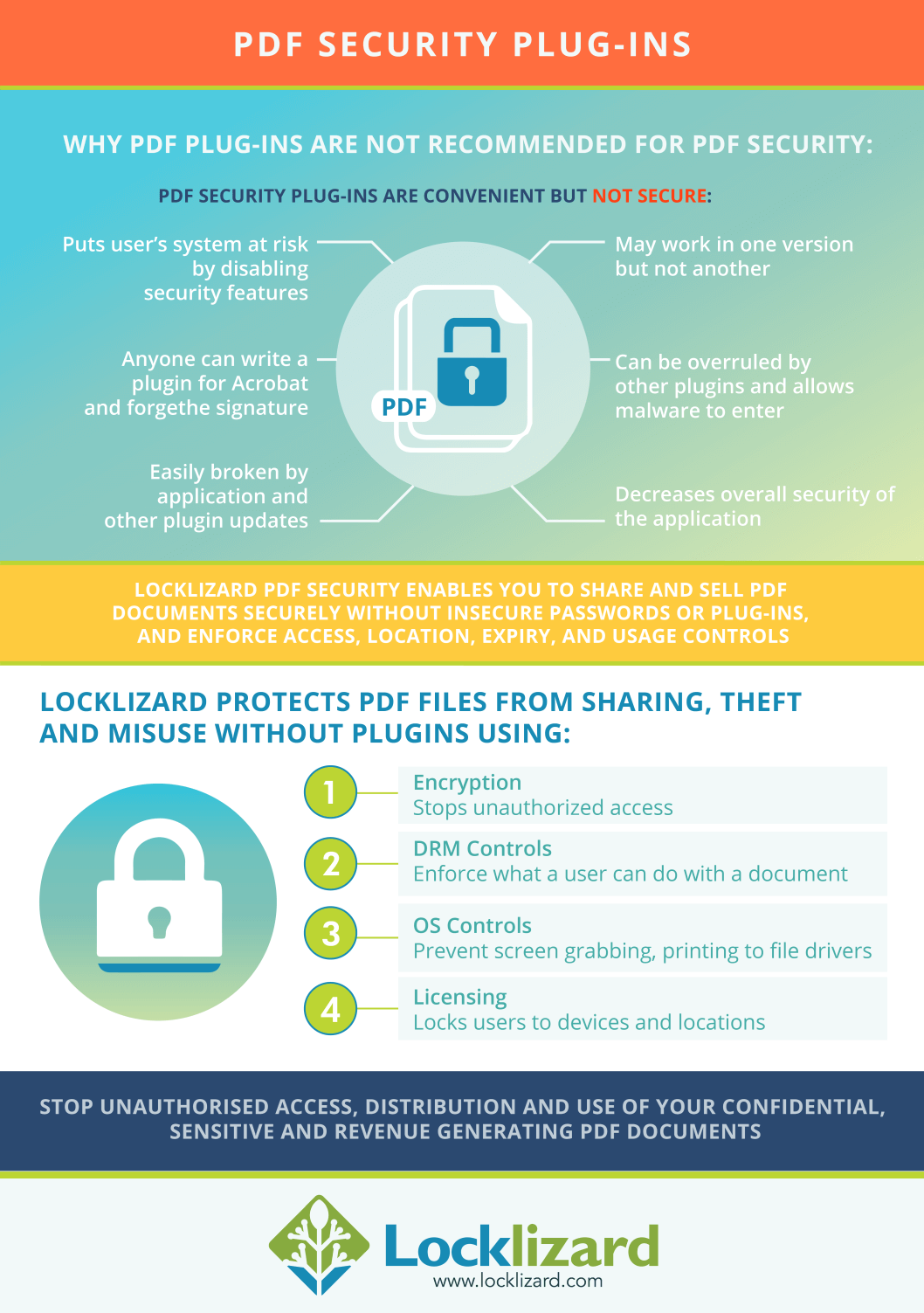
Plugins can be overruled
A plugin from one manufacturer can stop a plugin from another manufacturer from:
- working correctly
- working at all
- or change what controls it enforces


Protect PDF documents regardless of location:
 Free Trial & Demo
 | What Are PDF Plugins & Why Use Them? |
Many software product manufacturers provide customers access into their products.There are many reasons to do this, including to:
PDF plugins are a popular way to achieve this in Adobe Acrobat. They make information available such as where some data is stored and how to manipulate that data. While there are plugins focused on streamlining all kinds of tasks, some of the most popular look to patch security holes in Acrobat’s default security. Signing and PDF DRM plugins are attractive to enterprises for two main reasons:
Sadly, businesses that use plugins for these purposes will quickly find that plugin providers are far better at marketing than anything else. The frictionless, secure experience they sell does not exist.
 | PDF Plugin Vulnerabilities & Acrobat Reader Security |
Plug-ins are dangerous. If you rely on plug-ins for your PDF security, be aware that their security may not align with what some manufacturers claim.
“Because of the plug-in architecture of Acrobat and PDF readers, it makes PDF a less-secure platform for DRM” – ElcomSoft CEO Vladimir Katalov.
While PDF security plugins may seem convenient, they require admin rights to install and can put your protected PDF documents at risk.
 | Adobe DRM Plugin and Plugin Security issues |
 Are plugins safe?
In the PDF world, it is commonplace to use plugins to provide extra functionality and features. But they are known to also create security holes. The highly respected CERT organization reported the following in respect of the Adobe system:
“Be careful not to install untrusted software, including non-certified Adobe plugins (those not signed and deployed by Adobe), unless certain of the origin and integrity of such software. Unverified non-certified plugins can be removed from the plug-ins directory, and they will no longer load at startup.”
However, it is also openly admitted that ‘legitimate’ plug-ins may compromize the security of a system:
“Developers can freely write plug-ins for Adobe Acrobat. An Adobe Reader plugin requires a license agreement and an enabling key from Adobe as part of the Adobe Reader Integration Key License Agreement (IKLA). The purpose of the Reader enabling plugin architecture and IKLA is for licensing only and does not imply suitability or endorsement by Adobe of third-party plugins. The Certified Mode of both Adobe Acrobat and Adobe Reader is used to provide added assurances that only plugins provided by Adobe are compatible. All third-party plugins are restricted to non-certified mode.”
 So what does this all mean?
We respect the advice given by CERT, but note that if an attacker permits the loading of unverified non-certified plugins (which happens by default in all versions of Acrobat unless you specifically check a box to say otherwise) they may introduce vulnerabilities. Of course, one must assume that this is precisely what any attacker would do.
Normal users familiar with their desktop plugins can hardly be criticized for using non-certified plugins. You can hardly expect them to understand any of these arcane technical issues, much less comply with them.
 Adobe PDF plugins and certified mode “protection”
There are many Adobe Reader and Acrobat plug-ins that can load (by design) only in certified mode. One example is all documents protected with “Adobe DRM” security handler (so-called eBooks).
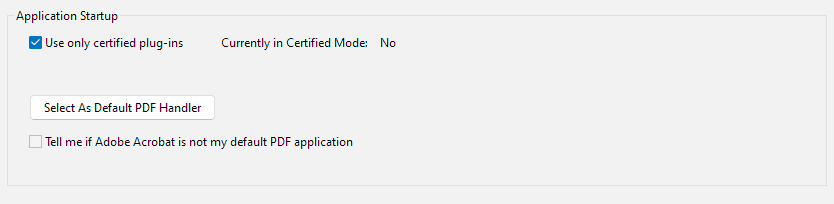
Certified mode assures that all other plugins, loaded with those ones, have been also certified by Adobe. However, with this vulnerability, a plugin with a forged signature can perform virtually everything, including but not limited to:
 | Still think DRM plugins or security plug-ins are safe? |

Don’t just take our word for it, if you think plugins can’t compromise your security then read what Byran Guignard, an Adobe Certified expert, has to say.
If you cannot rely on a PDF security plugin working as expected (not conflicting or circumvented by other plugins) and failing to operate when Acrobat is frequently updated, then the plugin is effectively useless.
The following white paper, Plug-ins – a source of insecurity, examines and questions the claims often made by plugin suppliers that they are secure, giving published examples of where they are not. It demonstrates why you should not purchase a document security solution that relies on plugins.
See also PDF security flaws.
And if you are forced to turn off security in Acrobat to get the PDF security plugin to work (see Fileopen Rights Manager as an example) then you are putting the security of the application and your system at risk.
 | Why and how plugins can compromize security |
When we talk about plugins in the context of security, the question isn’t simply whether they work as advertised, but whether their presence undermines the security of the system they’re supposed to protect. A plugin is, after all, an additional piece of software with direct access to the host application. That means it inherits its privileges, interacts with other extensions, and becomes part of a complex ecosystem where one weak link can expose the entire chain.
In practice, this raises several issues. Understanding these risks is key to evaluating whether plugins can ever be considered truly “secure”.
 Are plugins secure – and what do we mean by secure?
Ideally, a plug-in should be secure by virtue of its own design, adding it to an existing application would not add a new weakness, and the plug-in would not conflict with any other plug-ins used in the same application.
However, it seems that plug-ins sometimes conflict with each other. The first thing you are told if there is an issue with an application is to disable all plugins. And if you do a Google search, you will find companies selling plug-in conflict detection tools, so the problem is a genuine hazard.
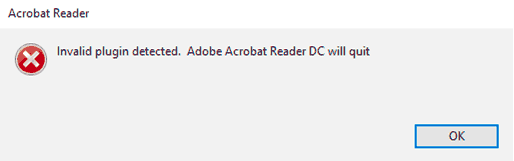
Unfortunately, plugins, like any other computer program, may also contain errors that need to be corrected. So, the solution is to update. But of course, everyone has to implement the update, and we know just how difficult that is to achieve.
And finally, it can be strange to consider that IT departments install plugins without any knowledge of what impact they may have. A plug-in, for example, obtains the rights of the application it is plugged into, which may be very considerable indeed.
Plug-ins are clearly not a guarantee of security, and, if used at all, should be used with great care and caution. It seems that, “One man’s meat is another man’s poison”.
As well as Acrobat plugins, some businesses use plugins for CMS systems such as WordPress to control PDF use in the browser. These, unfortunately, tend to be even less secure. They typically involve adding a password to gain to a PDF embed, which is no more secure than Acrobat’s default password protection. And while there are a few that try to control whether users can print, edit, etc., they’re not very successful. That’s not even to mention the risk of other security issues from WordPress plugins, such as cross-site scripting and other vulnerabilities.
You can read more about the dangers of using WordPress plugins for PDF security here.
 Can plugins be made secure?
Plug-ins could be made secure, in the sense that by cryptography (digital signatures) the manufacturer can verify that plug-ins have been digitally signed before allowing the plug-in code to run (provided that the manufacturer evaluates and certifies all plug-in code before signing it so that every user may be certain that there can be no compromise to the application).
But only the manufacturer can do that – nobody else. And anyway, what would that mean? Are we to assume that the manufacturer has the technical ability to certify the security and quality of every plug-in that is digitally signed? Who is going to pay for that? It would create an immensely complex administration system, not to mention always having to have the manufacturer’s product being fully up to date.
Of course, this puts an enormous responsibility on the manufacturer to exercise high levels of due diligence if that strong control is to be exercised. If that strong control is not exercised, then in reality the providers of plug-ins have a free-for-all. Since they cannot know if they are the only plug-in running, and the nature and intent of any other plug-ins running at the same time as them, they cannot police the situation for themselves. In fact, just as they may expose the manufacturer’s system, they may also expose each other’s actions.
So let us say that a security plug-in is installed in a system. How will it protect itself against other plug-ins, or the manufacturer? What will be its approach to verifying the environment it finds itself in? Some security vendors providing plug-ins to inter-operate with other products have been unlucky, such as the PGP Outlook plug-in vulnerability reported at The Register where a security plug in weakness could compromize the system.
Clearly, placing blind trust in the manufacturer and all of their plug-in providers is a non-starter is folly. Security plugins are built on a foundation of sand. Any “security” they provide could collapse at any moment.
 | Why Locklizard for PDF DRM Protection? |
Locklizard takes your document protection seriously. We provide total PDF protection with US Gov strength AES encryption, public key technology, DRM, and license controls, to ensure your PDF files remain protected regardless of their location.
See our customer testimonials or read our case studies to see why thousands of organizations use Locklizard PDF security to securely share and sell their documents.
 FAQs
FAQs
Attackers could create a plugin that interferes with the compatibility of another PDF plugin and therefore stops it from working or extracts page content from an open PDF. For example, a PDF DRM plugin may be tampered with so that a user gains access to editing controls when the document is supposed to be read-only. Or a plugin with a spoofed certificate could use the same permissions the DRM solution does to copy the text to another document.
As a result, it is important that users are not allowed to install unvetted plugins and that plugins are extensively checked for compatibility with each PDF viewer and plugin update.
The best Adobe Acrobat plugins are those found in the creative cloud app that are certified and provided by Adobe. However, this does not mean that third-party plugins cannot conflict with them and therefore stop them from functioning correctly. Even if Acrobat is run in “certified plugins only” mode, third-party plugins may be able to forge a certification and gain full control over the document.
The best security will therefore be found by not using Acrobat plugins at all.
No, they do not keep documents safe. Plugins in Chrome are simply designed to allow you to read PDFs, not to add additional security. In fact, the official Acrobat PDF plugin for Chrome was found in 2017 to have a cross-site scripting vulnerability that allowed malicious sites to execute JavaScript code in the user’s browser.
Acrobat plugins can be found in the Creative Cloud app or can sometimes be downloaded directly from a plugin developer’s site. However, you must be careful when downloading from third-party sites – some plugins may be intentionally designed to steal your data or compromise your security.
In fact, given the problems with plugins outlined above, it’s best to avoid them entirely.
DRM plugin software is used instead of more secure alternatives such as a standalone viewer, because it enables DRM providers to integrate directly with native applications such as Adobe Acrobat Reader. It is therefore easier to produce a DRM plugin rather than a dedicated app, and users can continue to use software that they already have installed and are familiar with. On the downside, it is not as secure as a dedicated app since DRM restrictions may stop working after an update to the host application, and users could bypass the security by installing another plugin.
Adobe protected mode provides an added layer of security by sandboxing application processes. A sandbox is a confined execution environment for running untrusted programs. In protected mode, malicious PDF documents can’t launch arbitrary executable files, write to system directories or the Windows Registry.
It is therefore important that protected mode is enabled (the default). If you have to disable protected mode to get an Adobe Reader plugin to load then you should consider the security and legal implications, especially if this is a plugin you have forced users to install before they can view your PDF documents.
The Calibre DRM plugin or DRM removal plugin, is a plugin that removes DRM from ebooks as they are imported into calibre. Once the plugin is installed, you can import epub protected ebooks into calibre such as Amazon Kindle DRM, and the DRM will be instantly removed.
The Android DRM plugin is a plugin that enables software developers to access Android’s DRM framework API for the protection of media (video streaming). Google provides the DRM without license fees on compatible Android devices. It relies on hardware, software and services to enforce restrictions.