

PDF DRM Security: restrict PDF access & control document use
Protect IP

Secure PDF DRM – no useless passwords or plugins:
- Stop unauthorized access
- Stop sharing and distribution
- Strong US Gov strength encryption, DRM and licensing controls
Restrict Use

Set Expiry

Revoke Access

Watermark

Log Use

Comply Law

Benefits

 Free Trial & Demo
Trusted by:

 IS ADOBE PDF FILE PROTECTION SECURE?
 IS ADOBE PDF FILE PROTECTION SECURE?
Why you should NOT use passwords to protect PDFs
- users can share passwords and thus ‘protected’ PDFs with others
- passwords are easily removed with password recovery software
- Adobe PDF permissions (stop copy, print etc.) can be removed without using any tools
- once the user has the password they can unprotect the PDF & do what they like with it
 Protect your IPR
 Protect your IPR
See why thousands of companies use Locklizard to safeguard their documents and increase revenue streams.
PDF DRM: 10 Features to look out for in PDF DRM software
Is the PDF security software you are looking to purchase really secure?
If the PDF DRM protection software you are evaluating can be simply broken then you might as well save your money.
What PDF Security and PDF DRM companies are not telling you about their products and solutions, and what questions you should be asking.
 | Insecure implementations |
Think carefully about the tool that is used to render your PDF to the screen. Are there published cracks for it, or is the implementation insecure?
Go and check that password recovery expert companies like Elcomsoft (www.elcomsoft.com) don’t list the program you are rendering in their ‘password recovery’ list. Basically it means that they have found a way in, and for a small fee, so can anyone else. So if you are protecting a $6k bucks file and the crack costs $80 then you figure it out for yourself. Some companies even provide FREE on-line PDF password removal programs – see FreeMyPDF.
Don’t be fooled by companies that have been around for a while or are affiliated with big names. Dimitry Sklyarov, a cryptanalyst from Elcomsoft says:
“FileOpen was chosen as an Adobe ‘security partner’, which leads me to wonder how closely Adobe examines the cryptography used by its partners. The code can be broken instantly. FileOpen software, puts key information in the encrypted document, which is sort of like leaving your car with the keys in the ignition. Surprisingly, many of it’s users seem to be scientific and technical journals.”
“The $197 Ebook Pro e-book protection software is advertised as 100% burglarproof and claims a list of Fortune 500 companies as its customers. The software “encrypts” e-books by mixing each byte of the text with a constant byte. This is a technique so weak that it probably shouldn’t even be called cryptography.”
Checkout the latest information on poor PDF security implementations and flaws here.
 | Legal implications |

Does your PDF Security or PDF DRM provider force you to use technology that puts users computers at risk?
- JavaScript is a major security issue. If the PDF DRM solution you choose uses technology such as JavaScript to mask pages or provide communication with a licensing server then you might want to consider the legal implications very carefully.
Adobe for example recommend that you disable JavaScript in Adobe Reader due to the fact that it is unsafe – it is regularly used by hackers to gain access to computers – this is true even for certified (digitally signed) PDF files. Other major security companies are telling companies to stop using Adode Reader all together.
- Self-extracting EXE files have proved very popular with some PDF DRM companies, however, they increase risks and may also decrease the actual security of systems.
- Some companies force users to turn OFF security in Adobe Reader and third party PDF readers (certified and protected modes or global object security policies) in order for their plugins or JavaScript code to work. This should set alarm bells ringing as it is clearly puts user’s systems at risk of attack.
More information on these vulnerabilities can be found at PDF security issues.
If the PDF Security or PDF DRM technology you use therefore forces users to use unsafe methods that expose their computers to risk, where does the responsibility lie if compromize occurs?
 | Plug in Dangers |

Be careful about arguments that plug-ins are a lot safer than executable programs.
If the PDF DRM software relies on plug-ins for its security then your documents may not be as secure as you think. Because a plug-in inherits all the power and authority of the program it is loaded into, then you have to be just as confident about the provenance of the plug-in as you do about an executable. But your testing could be a whole lot harder because you can’t evaluate a plug-in unless you load it into its host program and then you don’t know if you are observing the actions of the plug-in or the host.
Make sure that people absolutely cannot load their own plug-ins into the master program. Because if they can, then they can get around the security that is being applied. Plug-ins run on the honor system. But, unfortunately, it seems that whilst people love honor, they love money more.
Plug-ins are exe files that need Windows administration rights to install. There are therefore no benefits of using plug-ins against standalone viewers – only disadvantages.
Plug-ins can also conflict with each other. There is no verification system in the host program that sorts out conflicts and reports lack of interoperability. Even Microsoft Windows does a better job of identifying ahead of time when systems simply won’t ‘plug and play’ than the plug-in system. The approach to plug-ins is load and go. And it is down to the person installing the plug-in to sort out if there are any conflicts between the plug-ins they already have and the new one they are trying to introduce.
Read more information on PDF Security plug-in vulnerabilities here.
 | Zero footprint security |
Web Browser & zero footprint solutions (no plug-ins or downloads)
If no plug-in or standalone viewer is required then what you are getting is PDF password protection. The decryption key MUST be sent in the protected file, and therefore is easily compromized by the standard PDF password removal software freely available on the Internet. PDF editing software can then remove what is left of the ‘protection’.
If the document DRM solution is supplied as a Web Browser (i.e. a secure data room) then users can share login information (and therefore documents), and scripts and plugins can be used to manipulate the browser environment and remove security. See data room security is not adequate for secure document sharing.
Apart from being easily compromized, the weakness of zero footprint solutions is that they cannot control third party screen grabbers, printing controls (limit prints or stop printing to PDF files), virtual environments, and so on because they have nothing to do it with. Also, they cannot verify if they are running properly, compromized by a plug-in, etc.
Companies selling PDF DRM or PDF Security zero footprint solutions often quote the DMCA (Digital Millennium Copyright Act) for protection of your PDF documents (telling your users they must not remove the security) but that is not offering you any real protection at all. You might want to ask yourself why you would pay more for something that offers you no additional protection to the PDF password security that comes with $50 PDF editing software.
 | IT Security background |
Does your PDF security or PDF DRM supplier have a background in content security or are you purchasing from a one man band or affiliate scheme?
A lot of companies out there claim their products are secure yet use weak encryption or don’t publish their security mechanisms. The majority have no data or content security experience. A lot of ebook ‘security’ software on the market is affiliate software that is re-branded for different organizations to sell as their own.
If the company you are considering does not demonstrate any security credentials, then ask yourself whether you can really be certain that your content will be kept secure – you might want to look elsewhere.
Locklizard’s key employees have over 50 years experience in data, PDF DRM software, and content security solutions using encryption and public key technology.
 | Secure Printing |
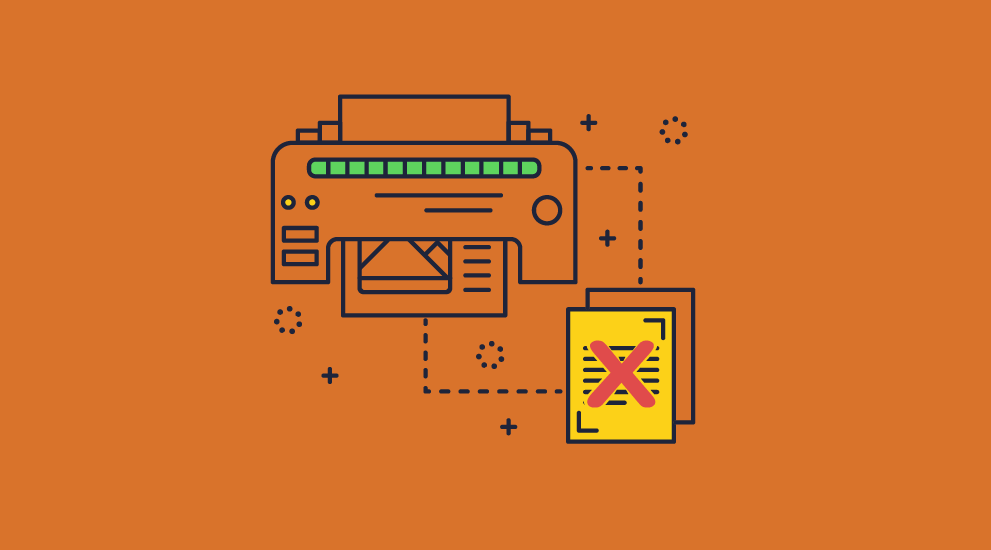
If you decide to allow printing, make sure that your PDF Security or PDF DRM system can make sure the printing is to a real printer.
There are any number of printer drivers (including those supplied by Microsoft) that can transfer a printout to a file, or, even better, a PDF file or XPS file directly.
If your PDF DRM solution can’t spot a real printer from a fake then you have a problem since users can print to PDF and therefore remove all security.
 | VM Environments |
There are systems and services that, for operational reasons, are perfectly valid, but they act in a way that can compromise PDF DRM controls.
Facilities like Citrix or Windows Terminal Server allow the implementation of a license on a single PC to be replicated across an entire installation. So a company can purchase just one copy of your protected document (ebook, report, etc.) and use it on every computer in their organization.
Make sure you check if the PDF DRM supplier can control these environments, because if they can’t then you do not have the DRM control that you first thought.
 | Document Watermarking |

Have you looked into watermarking capabilities as a way of both establishing your ownership or a means of identifying who is pirating your IPR?
The ability to display dynamic watermarks is especially important when allowing users to print PDF documents as it can be used to identify the source if photos or photocopies of your document are distributed to others. The ability to position watermarks anywhere on the page is equally important if you want to use them as an effective deterrent.
Be sure to check that your PDF DRM or PDF Security supplier does not require you to make a new encrypted copy of the information you are selling each time you sell to a new customer. Encrypting a file is an expensive CPU operation, not to mention the problems of having to maintain (or be able to create on the fly) encrypted copies for individual users. Look for a PDF DRM or PDF Security solution that encrypts just the once and can identify customers dynamically (ability to show the users name, email address, company name, etc.) rather than you having to put in place a system that does the job.
Note that watermarks applied to password protected PDF documents are useless because if a password remover is used to remove the protection, the watermarking overlay can be easily removed. See Removing PDF Watermarks for further information.
 | Screen grabbing |
Does your PDF Security or PDF DRM provider prevent screen grabbers?
There are many popular screen grabbing programs available on the Internet, such as Snagit, or photo processing programs, that provide the ability to capture the screen image and save it as a file, or, even, OCR it and save the result.
Be aware that plug-in systems and browser environments are easy to screen grab since they are totally dependent upon what the host program is willing to do because they are not in charge of the environment.
If the PDF DRM provider you are looking at only prevents Windows print screen or cannot prevent remote screen grabs then you might want to look elsewhere.
 | Ease of use |
Do not choose solutions that involve you in having to set up complex codes, policies, and encryption keys.
Any PDF Security or PDF DRM solution worth its salt should keep the complexity of how it achieves your business objectives transparent from both you and your customers.
After all, what is the point of buying a solution and then spending a fortune on internal (or, worse still, consultant led) implementation if you don’t have to do that?
 | Security issues to consider |
Below we explore common methods of protection provided by PDF Security and PDF DRM suppliers.
 | PDF Password Protection |  |
Common weaknesses in most PDF protection products are to rely upon passwords being distributed by document publishers to those authorized to use them. Apart from the obvious problems that passwords can be given away, there are a plethora of password recovery or cracking tools available on the Internet to remove passwords or reveal what they are. See Removing PDF Passwords.
The Locklizard approach is to license the relationship between the document publisher and customer, and automatically establish and verify authorizations on a document by document basis. No access control information travels with the documents, no passwords are given to users, and users have no means of entering passwords. Access control information is negotiated cryptographically and the user (or any other attacker) cannot become involved in the process or capture any secret information.
So the commonest methods of attacking protected PDF documents – through attacking passwords, have been prevented.
 | PDF Plug-ins and Plug-Outs | |
A common approach to rendering PDF documents is to use the Adobe viewer, operating either as a plug-in (the security company provides add-on code that links into hooks provided by Adobe) or as a plug-out (where the security company puts a shell around Adobe and manipulates their interfaces). Either way, plug-ins are just an EXE file installation by another name (require admin and firewall access), and they also have a number of weaknesses.
Plug-ins are notorious for failing to interact cleanly because there is no certification process by which their interoperation can be tested. From a security standpoint there is little or nothing to stop people from creating plug-ins that compromise system security, and using them to bypass other plug-in controls. Plug-ins are normally run on an ‘honor’ system, which is fine except that there is no honor among thieves! In addition, every time Adobe does an update to Acrobat, third party security plug-ins stop working – resulting in a major support headache for you and your customers. For further information see PDF plug-in vulnerabilities.
Plug-outs, by comparison, are notoriously difficult to get working, and tend to be highly fragile. Even the slightest change in the application being plugged-out can render the entire security system unworkable, to the consternation of all users. And there is no incentive for the supplier of the application being plugged out to be helpful. Both approaches are also vulnerable to all the attacks against the underlying application since they cannot prevent them.
Locklizard has provided security by design. Using our own secure PDF DRM viewer completely prevents the problems of plug-ins/outs allowing complete control over the environment that cannot be achieved by other approaches.
 | Zero footprint solutions | |
Zero footprint solutions sound brilliant – total security without doing anything! Of course if it were true then there would be no software or music piracy – and we all know that is not the case.
The fundamental weakness of these systems is that they MUST send the decryption/ unscrambling key with the protected document. So it can be easily found, and automatically removed. To be fair, the technique does reduce trivial copying by those who cannot be bothered to do some trivial Internet searching. But they are usually not the people you are trying to stop.
Without having anything implemented on the computer it is not possible to implement controls that can be enforced locally. So the most powerful security controls and techniques are not available.
This approach leaves you largely relying on the DMCA (Digital Millennium Copyright Act) for protection of your PDF documents, always assuming you can afford the lawyers fees. Another good example of a zero footprint solution?
Locklizard provides a zero installation viewer that can be distributed to users on USB sticks. It is not a ‘lite’ version and does not use plug-ins, JavaScript, Flash, passwords, or self-extracting EXEs. It provides the full DRM protection of our installed viewer, yet is truly portable.
We also provide a web browser viewer that requires no installation but requires users to be connected to the Internet. Just like our installed viewers, content is decrypted in memory.
 | Risk Management and granular controls | |
Generally PDF security and PDF DRM providers do not appear to have understood the need to be able to provide and support granular ranges of protection based upon the risk management stance of the publisher. There is little demonstrated thought about how controls are supposed to relate to each other, or to DRM as a specific method of Intellectual Property Rights management.
For instance, allowing printing introduces a risk that documents may be sent to file drivers, and then reprinted at will, or physically printed out, scanned and then brought back as uncontrolled documents. Different techniques may be used to resist these options, including the use of both static and dynamic watermarking to identify the user of the document or make it difficult to use scanning techniques and OCR to recreate documents. Omnia Romae cum pretio (Juvenal), or more literally, everything has a price.
Locklizard provide a comprehensive series of methods for helping publishers identify dynamically who is the source of printed copies, which can be augmented by OCR preventing or copy revealing where the security requirement is very high. The higher the strength of the controls, the more intense the demand on the computer hardware. But this is transparent to both publisher and user (unless the user tries to break the rules, of course).
 | Frequency of license checking | |
Requiring a license verification every time a document is opened is good practice for high security documents, or where you have to be able revoke them instantly, but it does mean they can never be used offline.
This can cause user problems if they need to use training materials and books offline, so you should take this into account when requiring license checks.
 | Ease of use | |
But most important is the ease of use for both PDF document publishers and their authorized users.
For there to be realistic security, an applications program must be installed on the user’s computer. So Locklizard minimize the need of the user becoming involved in entering codes, passwords or similar. The user establishes a single generic license with their publisher and Locklizard take care of all the document access permissions, monitoring, counts and so on without the need for any user or publisher intervention.
From the publisher’s side, the publisher is presented with a small number of panels that step them cleanly through the protection process. They do not allocate codes or generate coding structures. They are not involved in PKI administration (under the hood Locklizard use that technology, but the way it was originally intended, without anyone having to get involved with it, or understand it) and deal with questions that are business relevant – when is the document available from and to – how many prints are left – are thin client systems or similar environments forbidden – how often must the license be verified – and so on.
A quick look at screenshots of the Safeguard PDF DRM protection dialog shows that choices offered to the publisher are obvious and logical – no use of mysterious codes such as ‘enter -1 for unlimited’ are required. Locklizard get the protection input from business people in their own language. Not exactly rocket science, but it shows the gulf between suppliers who can’t even be bothered to understand their customers, and those who go the distance.
Locklizard’s DRM customers clearly identify that they chose Locklizard as their PDF DRM supplier because it is the most cost effective and the easiest system to implement. It allows them to choose the level of controls that they believe are correct with respect to individual documents, and subsequently vary them in a meaningful way per customer.
So it is possible to have a high PDF DRM security system without making it impossible to use, but please don’t tell the security ‘experts’ since they might be out of a job.
Locklizard PDF DRM software is used by a wide variety of industries to protect everything from financial and share trading information, accounting and investigation information, maps and charts, service manuals, sales and competitive analysis, training materials, proprietary designs, open tender documentation, membership and subscription information for both professional associations and financial services businesses, and so on.
 | Balancing security against usability |
If you want to talk about security or DRM for PDF documents then you have to understand what you are trying to achieve.
It is all about objectives.
- How difficult to do want to make it for the IPR pirate to do their job?
- How feasible is it that you can stop them in their tracks?
- At the baseline, does the security stop screen print or copy and paste?
These are the simplest attacks to allow pirating of documents.
So does the PDF DRM software or PDF Security system that you have selected actually stop these features on demand? Be aware that proper DRM controls should allow you to switch this control on or off, not just off.
It’s a commonly held view that security systems are difficult to set up, and the more secure you want them to be the harder they are to use. It’s also wrong.
Locklizard have made full use of their significant background in the design of easy-to-use systems, and in the implementation of encryption and security technologies, to provide realistic, granular and effective PDF document protection and document management controls.
Our PDF DRM software is easy to use AND secure.
 | Why Locklizard for PDF DRM Security? |
US Gov Strength PDF Security – Secure PDF files without passwords or plugins
Locklizard takes your PDF file protection seriously.
Our DRM PDF Security products enable you to share documents securely without insecure passwords or plug-ins, and enforce access, location, expiry, and usage controls. Revoke PDFs at any time regardless of where they are.
Our DRM technology ensures your secured PDF files remain safe no matter where your documents reside.
Read our customer testimonials and case studies to see why thousands of organizations use Locklizard PDF DRM security to securely share and securely sell PDF documents.
Customer Testimonials















