



Locklizard 
 
Sales
North America Tel: 800 707 4492
UK & Europe Tel: +44 (0) 1292 430290
Products -> Lizard Safeguard Enterprise PDF DRM


Safeguard Enterprise PDF Security
Enterprise rights management for PDF documents
enterprise pdf drm security


PDF ENTERPRISE RIGHTS MANAGEMENT WITH DOCUMENT AUDITING


Safeguard Enterprise PDF DRM Security delivers enterprise rights management for pdf documents. It is designed for the larger publisher or a corporate enterprise that needs to handle very large numbers of secure PDF documents, users, and publications.

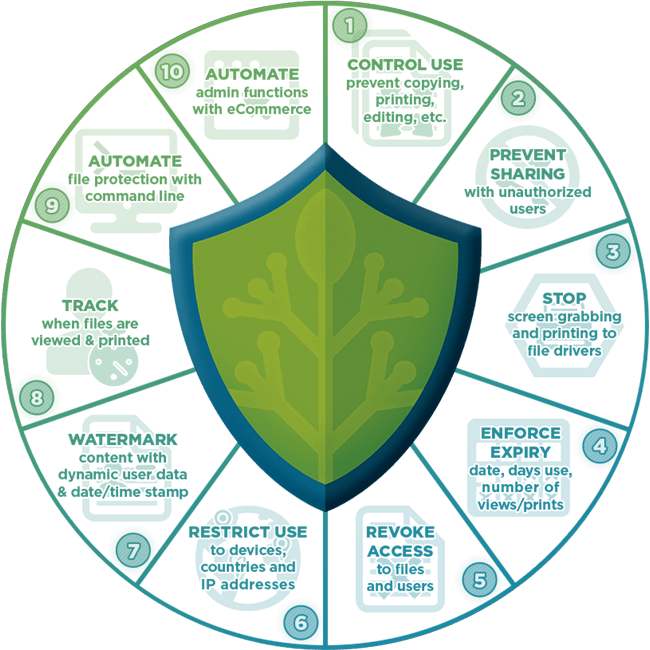
Safeguard Enterprise PDF Security has all the functionality of Safeguard PDF Security (preventing pdf copying, sharing, printing, screenshots, providing document  expiry, dynamic watermarks, etc.) but with many additional pdf security, customization, and administration features.  It provides PDF DRM protection without passwords, and enables publishers to track how their documents are being used.

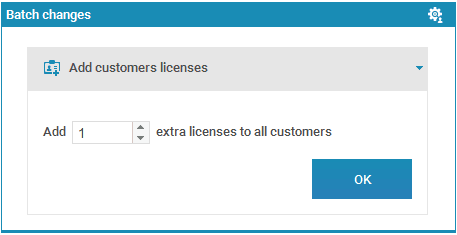
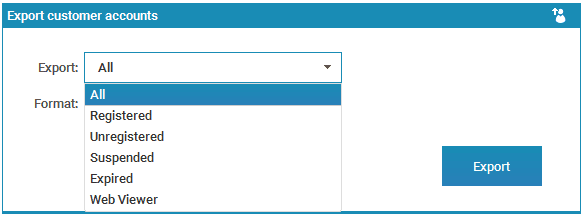
With Safeguard Enterprise PDF Security you can log system, user, and document activity and events (e.g. when a document is viewed or printed) and generate reports, view statistics (e.g. how many users are registered), apply batch changes (e.g. grant all users access to a document or publication in one go), and suspend documents to enforce specific document start times and usage.   User records are fully editable and also support descriptions and notes.


PDF DRM


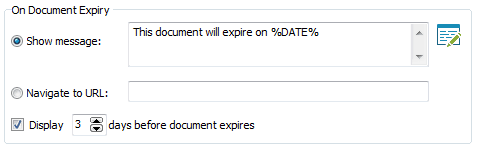
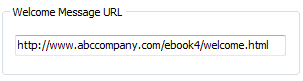
For publishers selling subscription services, Safeguard Enterprise PDF Security enables you to manage your subscription base effortlessly by providing individual publication expiry on a per user basis.  You can choose to display a custom document expiry message or cause redirection to a URL of your choice when or before a document expires (e.g. 5  days before document expiry, to give users ample time to renew their subscriptions).

The Safeguard Enterprise PDF Security ecommerce interface enables full automation between your web sales process(es) (payment system) and issuing of licenses and document authorizations, provides additional commands to automate the majority of administration system functions.  These actions can be performed on multiple users, documents and publications.


For a complete list of differences between Safeguard PDF DRM Security and Safeguard Enterprise PDF DRM Security see the PDF security comparison chart


PROTECTING PDF DOCUMENTS


Safeguard Enterprise PDF Security offers the same easy to use GUI application as Safeguard PDF Security to create secure PDF files but with additional functionality to customize expiry and splash screen functions, specify an output folder, and enable auditing of document views and prints.


The following additional PDF DRM security and customization options are available when protecting PDF documents.

  • Customizable save location (output folder)
  • Document description
  • Customizable expiry message or navigate users to a URL
  • Display the expiry message/URL n days before a document expires
  • Navigate users to a URL on unauthorized use
  • Display (and specify for how long), or don't display a document splash screen
  • Log document views
  • Log document prints


control pdf document use


As with Safeguard PDF Security, you can use the secure PDF Command Line Encryption utility to batch protect PDF files without user intervention.  This also provides quick and simple integration into your existing web based applications and .NET code (where PDF DRM encryption is required on-the-fly) without the need to use an API. 


SECURE PDF DRM ADMINISTRATION SYSTEM


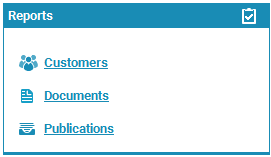
The Safeguard Enterprise PDF Security administration system has been created specifically for ease-of-use by large publishers and enterprises needing to manage a significant number of users, documents and publications. Administrators can batch change information (e.g. add an additional license to every user), or perform actions on multiple users, documents, and publications.  Advanced search and sort features (e.g. just show all expired documents), statistics, auditing  and reports, ensure all important administration data is readily available for viewing, printing, exporting, and saving.


The following additional PDF DRM security and customization options are available when administering users, documents and publications.
  • Auditing - user, system, and document  auditing
  • Reports and statistics
  • The ability to make batch changes for simpler administration
  • Advanced search and sort filters
  • Publication access dates on a user basis
  • The ability to suspend published documents and alter their expiry dates
  • Resending of registration emails
  • Choice of registration emails being sent on an individual or global basis
  • Choice of license files being sent as attachments or links
  • Customizable record display, additional details, editable descriptions, etc.
  • Viewing of all PDF DRM controls applied to protected documents
  • Manual logon/logoff
  • System backup and restore


Features Overview
Features In-depth
Business Benefits
Technical Information
Screen Shots
Product Walkthrough
Video Tutorials
FAQs
Product Datasheet
Product Manual

Safeguard vs Enterprise
PDF DRM - why LockLizard?

Secure PDF Viewer
Secure PDF Viewer Demo


Command Line Encryption
Ecommerce Integration
Own Branding
Custom Email


We would be happy to recommend LockLizard to any company needing a flexible way to secure PDF files. Safeguard PDF Security has provided us with a very workable solution to the need to share certain information in a secure fashion. The support has been excellent and your customer service people very accommodating.


Customer Testimonials
Customer Case Studies
PDF DRM Reviews


Evaluate our DRM software
Pricing for our DRM software
Our DRM Technology
DRM Business Benefits
PDF DRM - why LockLizard?


Home | Products | Purchase | Downloads | Education | Compliance | Our Customers | About Us | News | Support | Articles | Guides

    Privacy Policy             SITE MAP